Most of my friends know me as a techie. If you would read my college yearbook, it still true up to this day that ask me about a gadget and I probably have it. So a lot of friends would ask me about these gadgets. I'm kind of getting bored of saying the same thing over and over again, so now I'm writing a blog about this. So that when people would ask me, I'll jst tell them to read my blog.
My first review is between the Blackberry and the IPhone.
First is the IPhone. I've been using the Iphone for 2 years now and I got the IPhone4 since September. If you have the IPhone 3gs and you don't have much friends who has the IPhone4, I suggest that you just upgrade your firmware to IOS4. Let me enumerate to you the difference of the two, if you upgraded your 3gs firmware to IOS4.
1. The looks: The IPhone 3gs is much rounder and the screen is bigger.
 |
| Iphone4 |
2. Battery life: I find the battery life is longer for the 3gs, but not long enough and it really depends on your usage. That's why I have the Morphie extra battery case. I love this extra battery. I also have other extra battery for IPhone and any apple gadgets that has the same charger connector like the Iphone, except for the IPad. I'll blog about these extra batteries on my upcoming blogs.
 |
| For IPhone4 |
 |
| For IPhone 3gs |
 |
| with charger connector like this except the IPad |
 |
| Extra battery for any IPhone and other Apple gadgets |
3. Camera on the front for IPhone4: Used mostly for face time and picturing yourself. I'm very particular on the quality of the picture because I'm a photographer. But for posterity purposes, it's ok. If you have the mirror app which you buy at the Itunes store online, you don't need the mirror screen protector.
4. IPhone4 has LED flash when taking a picture. As I said above, it's ok for the average camera user. Remember, it's the person who takes the picture, not the camera that makes a
great shot. I have a photograher friend who takes great picture using an Iphone.
5. Retina screen for IPhone4: It's easier on the eyes.
6. Now with the update version of IOS4 for the IPhone4, there are more text alerts to choose from. I don't know if it's the same if you use the IPhone 3gs.
I'm also a Kikay person, so I have a lot of accessories for my Iphone. I have a lot of different cases for my IPhone. My friends who went to Hong Kong bought me cute cases for my Iphone. It's like dressing up my phone.
Now, for the Blackberry. I think I got my Blackberry as a gift. I got used to the touchscreen that I keep touching the screen whenever I choose something on the menu. Many said it's better because of the push email and other push notification. They don't know that Iphone has this also and doesn't use them. But in order to use the full capacity of the blackberry, like the BB messenger,you have to subscribe to the blackberry services. For Globe they have the blackberry social which is, if my memory serves me right, it cost P300 per month and P400 or P450 per month for the blackberry mobile surfing. I just don't know if it's unlimited. I don't know how much it is on Smart because I have the Blackberry plan and I don't use it as much. If you don't subscribe to the blackberry service, it's like just having a basic camera phone with wifi capabilities. It's camera also has a LED flash. I have the Alibaba case for most of my gadgets. It also covers the front when I'm not using it. Blackberry detects the cover on the front so when I close the cover the backlit and the screen light turns off. Also when you're in a meeting and this phone rings, when you open up your case the phone stop ringing without answering the call. The caller just hears ringing. It won't ring again even after you put the cover back.


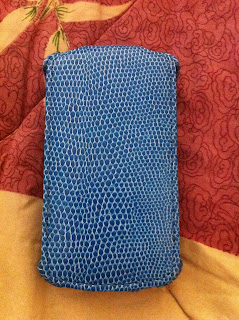
The accessories are just basic cases. I'll blog about cases for Iphone, blackberry and Ipad on my upcoming blogs.
Almost forgot the most important thing for any phone. What is the use of the phone if you have no battery. The battery of the Blackberry is very good. It may last the whole day for heavy users and a week for a very light user like me.
Other cons of the Blackberry is the BB messenger. If you want to change your Blackberry, you can't retain your BB pin. So when you change Blackberry, you have to inform all your contacts in you BBM that you changed your pin, it's like changing your phone number. I don't know if there is a way of keeping your BB pin. Also when you update the firmware for the BB messenger your contacts gets erased so you have to contact all your BBM friends to ask for their BB pin or their bar code. This is not my BB barcode. I got this from the internet saying it's Victoria Beckham's BB bar code, which it says it's a rumor.

Xperia X10 mini pro from Sony Ericsson is like a small Blackberry and IPhone combined. It runs on Android 1.6, I think. My husband is the one who uses this phone so I don't really know much about this phone. It's has a touch screen and there's a keyboard that you slide it out. But you if you don't want to use the keyboard, you can use the keypad on the screen. It can be the usual keypad of a phone or the qwerty keyboard, whatever you choose. Battery life is long but not like the Blackberry.
Pros: Small, cute and cheap.
Cons: Small screen
 |
| Xperia X10 mini Pro |
 |
| Samsung Galaxy S |
Since my husband lost his Xperia, due to reasons I don't want to elaborate anymore (it would just make my blood pressure go up), he scouted for another cellphone. He already have a Samsung Galaxy mini which he uses for his personal line and enjoyed downloading wallpapers, ringtones and app from the Samsung app and Android Market. So we went to the Samung mobile store in Festival Mall. He wants a phone that has a touch screen display so his first choice was the Galaxy Corby because it was cheap, but he's already used to using QWERTY keypad, it would just confuse him from shift back and forth from phone keypad and QWERTY keypad, because the Corby uses the phone keypad. Next was the Galaxy Wave. My husband was ready to pay for it when another couple who were next to us were buying the Galaxy S. We found out that there were 2 kinds of Galaxy S, the difference between the 2 were the display. One was LED display and one is LCD, which you can't really know the difference. The LCD was 5K cheaper than the LED. So my husband changed his mind and got the Galaxy S LCD. It's almost like the IPhone. He fell in-love with this phone.
My verdict (this is my opinion only as of this moment):
Between IPhone 3gs and IPhone4: It's cheaper to upgrade the firmware and you will hardly notice the difference, unless you are particular with gadgets.
Between the Iphone and Blackberry:
Price: Blackberry is cheaper than the Iphone to purchase but in the long run the IPhone is cheaper and Xperia is I think the cheapest. You can have have your iphone jailbreak and get a lot of apps for 1k and you can use the iphone full potential no added monthly fees for post or prepaid. You need to subscribe to the blackberry services. You can use some of the features of the blackberry if you have are in a wifi spot. That's what the Globe rep told me.
Accessories: I can dress up my IPhone than the Blackberry and I don't see any accessories for the mini X10.
So I prefer the IPhone over the Blackberry and the Xperia. But I can say that the Blackberry is best for the business minded people and the IPhone are best depending on the kind of apps you have. But if we are not considering the cost of the units, apps and services, I say that they are pretty even except for battery and battery life. As of the moment that's all I have to say. I might add some comments on these phone on my future blogs because I'm still getting to know these phones.
I have no verdict on the Samsung Galaxy S with LCD display since, I'm not the one using it. I just put it here for those who wants this phone but can't afford it's price range that there's an alternative cheaper model. From my husband's downloads, I really don't like the games and apps that he picked. It's either violently, bloody and scary. Parental discretion is advised when downloading apps from the android market.
UNTIL MY NEXT POST!


